Every Feature.Zero Compromises.
AutoAccept.ai is the most advanced automation layer for AI coding assistants. Explore every capability that makes your development workflow truly autonomous.
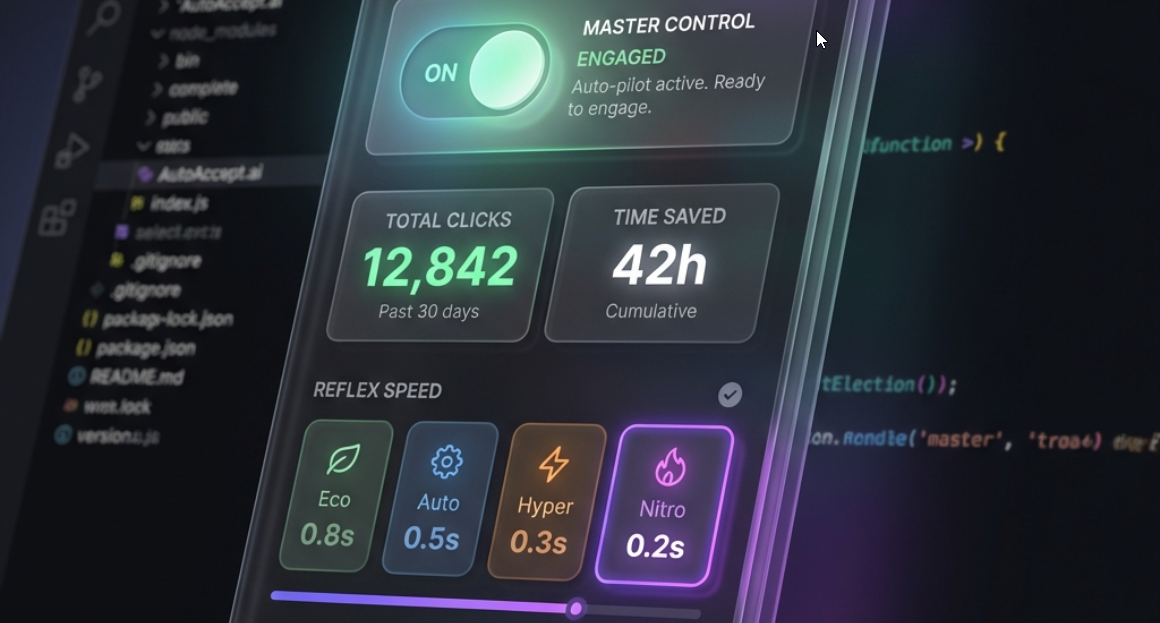
The Foundation of Flow State
These core features work out of the box to eliminate interruptions and keep your AI agents running smoothly.
One-Click Toggle
Activate or deactivate automation instantly from the VS Code status bar. No menus, no commands—just a single click to enter flow state.
Smart Button Detection
Intelligently identifies Accept, Run, Apply, Confirm, and Retry buttons across Cursor and Antigravity interfaces using advanced DOM scanning.
Auto-Retry Logic
When your AI agent hits a snag or rate limit, AutoAccept.ai automatically clicks Retry to keep the workflow moving—no babysitting required.
Multi-Window Support
Each VS Code window runs its own independent instance. Work on multiple projects simultaneously without conflicts or interference.
Session Analytics
Track clicks saved, time recovered, and automation efficiency in real-time. See exactly how much productivity you're gaining.
Smart 'YOLO' Mode
Toggle verification on/off instantly. Run fully autonomous for rapid prototyping, or "Human-in-the-Loop" for critical core systems. You choose the safety level.
From Eco to Nitro
Choose your automation intensity. From battery-saving 8-second polls to blazing-fast 200ms response times, AutoAccept.ai adapts to your workflow needs.
★ Premium speeds react faster than human reflexes—your AI never waits.
Unlock Full Autonomy
Premium features transform AutoAccept.ai from a helpful tool into a complete automation powerhouse.
Background Mode
Works perfectly with multiple AI agent tabs open. The extension monitors all active agents and clicks 'Accept' across your entire workspace simultaneously.
Dangerous Command Blocking
Automatically detects and blocks destructive commands like 'rm -rf /', 'format C:', and PowerShell hazards before they execute. Emergency Stop triggers instantly.
Custom Safety Rules
Build your own blocklist with literal patterns or regex rules. Block project-specific commands, protect production endpoints, or add team-wide safety policies.
Custom Click Selectors
Stop breaking your flow. Let the AI handle the 'Apply' button while you focus on the architecture.
Smart Audit Trail
Full history of every action taken—button clicked, command context, timestamp, and URL. Syntax-highlighted code snippets show exactly what was executed.
Away Mode Intelligence
When you step away, AutoAccept.ai keeps working. Return to notifications showing exactly what happened while you grabbed coffee.
How It Works
AutoAccept.ai uses Chrome DevTools Protocol for deep, reliable automation that goes beyond simple scripting.
Extension Activates
On startup, AutoAccept.ai initializes and checks for CDP availability. If needed, it modifies your IDE shortcut to enable remote debugging.
CDP Connection Established
The extension connects via WebSocket to Chrome DevTools Protocol, gaining deep access to the browser context inside VS Code.
Automation Script Injected
Our bundled automation script is injected into the IDE's webview, setting up button detection, click verification, and analytics tracking.
Continuous Monitoring
The script polls at your chosen Reflex Speed, scanning for Accept/Run/Retry buttons and triggering verified clicks when found.
Safeguard Verification
Before any click, Premium users get command text scanned against the blocklist. Dangerous patterns trigger Emergency Stop.
Free vs Premium
Start free, upgrade when you're ready for unlimited productivity.
| Feature | Free | Premium |
|---|---|---|
| Auto-accept in active tab | ✓ | ✓ |
| Multi-window support | ✓ | ✓ |
| Daily click allowance | 15/day | Unlimited |
| Reflex Speed (polling) | 2-3 seconds | 200ms - 3s |
| Background Mode (multi-tab) | ✕ | ✓ |
| Dangerous Command Blocking | ✕ | ✓ |
| Custom Safety Rules | ✕ | ✓ |
| Custom Click Selectors | ✕ | ✓ |
| Smart Audit Trail | ✕ | ✓ |
| ROI Analytics Dashboard | Basic | Full |
| Away Mode Notifications | ✕ | ✓ |
| Weekly Progress Reports | ✕ | ✓ |
Works Where You Work
Cursor AI
Deep integration with Cursor's AI-native IDE. Optimized for Composer loops and "Always Allow" flows.
Antigravity
First-class support for Google's Antigravity. Enhances Agentic Mode with shadow workspace automation.
Native Performance On
Safety First. Always.
AutoAccept.ai Premium comes with industrial-grade safeguards. We scan every command before it executes, blocking dangerous patterns and giving you instant emergency stop controls.
Ready to Stop BabysittingYour AI Agent?
Join developers who've reclaimed their focus. Install AutoAccept.ai today and experience true hands-free automation.